


bad scratches


Thread Starter
|
Veteran
Joined: Sep 2009
Posts: 426
Likes: 0
From: new glasgow, nova scotia

from what i read your telling me 3m is the best. thats cool just wanted to know who made the best products.
yah i really liked that truck but i had a 2 year total replacement insurance policy on it so i got a new 1990 comanchee and it was a piece of junk. can't figure it out. 88 was like nails but the 90 was junk.
yah i really liked that truck but i had a 2 year total replacement insurance policy on it so i got a new 1990 comanchee and it was a piece of junk. can't figure it out. 88 was like nails but the 90 was junk.

Captain
Joined: Aug 2009
Posts: 509
Likes: 1
From: SoCal
I will learn from this and will be getting replacement seatbelts it ASAP.
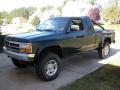
About the scratches.... Why not do a roller job like I am doing on my Dakota? IMO it's the prefect paint job for a 4x4 vehicle. If you have no body work to do then it's just straight prep and paint.
About the scratches.... Why not do a roller job like I am doing on my Dakota? IMO it's the prefect paint job for a 4x4 vehicle. If you have no body work to do then it's just straight prep and paint.
Champion

Joined: May 2008
Posts: 4,839
Likes: 5
From: Apex, NC
Well thats how it is with any automotive paint job. Assuming no body work, I could knock out an entire paintjob including teardown, prep, paint, finish, rebuilt in 3-4 days depending on the vehicle and it will look show quality when its done. Its definately the body work that slows you down!
Thread Starter
|
Veteran
Joined: Sep 2009
Posts: 426
Likes: 0
From: new glasgow, nova scotia
yes lo. it happens so easy and so fast. from what i hear it's not nice to be ejected from a truck. we all had seatbealts and we all walked away. be careful dude over the hallidays, it's not always you, could be the drunk coming the other way
Champion
Joined: May 2008
Posts: 4,839
Likes: 5
From: Apex, NC
Mazda, I made the official decision that you need a signature picture, so I made one for you:
Mazda7475.jpg?t=1261635302
Just save it to your computer, upload it as your signature picture, and then insert it into your signature.
Mazda7475.jpg?t=1261635302
Just save it to your computer, upload it as your signature picture, and then insert it into your signature.
Last edited by 95_318SLT; Dec 24, 2009 at 01:15 AM.

Thread Starter
|
Veteran
Joined: Sep 2009
Posts: 426
Likes: 0
From: new glasgow, nova scotia
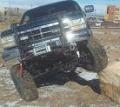
love it! the 31's fit like a glove with the 2 inch lift. don't care for the "dumbo" side mirrors. had to replace the sleek remote black ones because of the trailer'
thanks guys but your gonna have to do a step by step on the insertion.
also i took the picture on a good spot, it's a lot steeper down below! you can also tell the paint has taken a beating but to me that's what it's all about. i didn't by one to shine it up and parade it down main street.
its on the desktop and it's now the background picture. i like how you faded out the back and put the attention on the truck.
thanks guys but your gonna have to do a step by step on the insertion.
also i took the picture on a good spot, it's a lot steeper down below! you can also tell the paint has taken a beating but to me that's what it's all about. i didn't by one to shine it up and parade it down main street.
its on the desktop and it's now the background picture. i like how you faded out the back and put the attention on the truck.
Last edited by mazda7475; Dec 25, 2009 at 06:45 PM.
Champion
Joined: May 2008
Posts: 4,839
Likes: 5
From: Apex, NC
Step 1: Click User CP (left hand side of the black bar near the top of the page)
Step 2: Click Edit Signature under Settings and Options (menu bar, far left of the screen 3rd section from top)
Step 3: Under the Signature Picture frame, click Browse, and find the file.
Step 4: Click Upload
Step 5: Click Insert Signature Picture (top right side of the preview of the picture)
Step 6: Click Save Signature
Lol, I like the huge mirrors! They look good in my opinion. Trucks don't need small mirrors.
Step 2: Click Edit Signature under Settings and Options (menu bar, far left of the screen 3rd section from top)
Step 3: Under the Signature Picture frame, click Browse, and find the file.
Step 4: Click Upload
Step 5: Click Insert Signature Picture (top right side of the preview of the picture)
Step 6: Click Save Signature
Lol, I like the huge mirrors! They look good in my opinion. Trucks don't need small mirrors.
Last edited by 95_318SLT; Dec 25, 2009 at 07:18 PM.