



Post Pics of Your Switch Locations


The Forum Tyrant
Joined: Mar 2004
Posts: 27,728
Likes: 3
From: Puttin' Detroit City back on the map.

i put them where the ashtray was...i just cut a piece of sheet metal, drilled for holes through it, and measured the screw holes out, and i have them wired to the two fans, aftermarket fogs, and the amp.

Retired Moderator - RIP
Joined: May 2008
Posts: 18,729
Likes: 17
From: NH
http://i416.photobucket.com/albums/p...g?t=1229099369
well I atleast got that far!LOL But I just want to know how to post the pic in a reply without the linking it.
well I atleast got that far!LOL But I just want to know how to post the pic in a reply without the linking it.
Last edited by zman17; Dec 12, 2008 at 11:32 AM.

What I do is i open another tab(so i dont leave Dodge Forum) in my browser(internet exploder). In the new tab I go to PhotoBucket and to your account....bla bla bla.
You go to the picture you want, then just put your cursor ove the picture, and a black box with a bunch of picture links and crap will come up under the pic. In that box you want the one that says IMG Code. There is a white box next to IMG Code. You left-click on the white box and a lil yellow box will come up that says "Copied."
You then come back to Dodge Forum, and left-click and hit paste in your reply(just like you would for a link to a thread of a Cardomain page). The IMG code should come up if you have done this right.
Hope this helps.
You go to the picture you want, then just put your cursor ove the picture, and a black box with a bunch of picture links and crap will come up under the pic. In that box you want the one that says IMG Code. There is a white box next to IMG Code. You left-click on the white box and a lil yellow box will come up that says "Copied."
You then come back to Dodge Forum, and left-click and hit paste in your reply(just like you would for a link to a thread of a Cardomain page). The IMG code should come up if you have done this right.
Hope this helps.

Captain
Joined: Jul 2008
Posts: 535
Likes: 0
From: Alabama
mine is in the ash tray take the ash tray out and mount to switch al bracke in there and put the ash tray back in. when you want to turn them on/off open ash tray and turn on/off my ash tray stays closed and the only one who knows its there is my wife.

Champion
Joined: Apr 2007
Posts: 2,570
Likes: 0
http://i416.photobucket.com/albums/p...g?t=1229099369
well I atleast got that far!LOL But I just want to know how to post the pic in a reply without the linking it.
well I atleast got that far!LOL But I just want to know how to post the pic in a reply without the linking it.
DSCF0453.jpg?t=1229099369
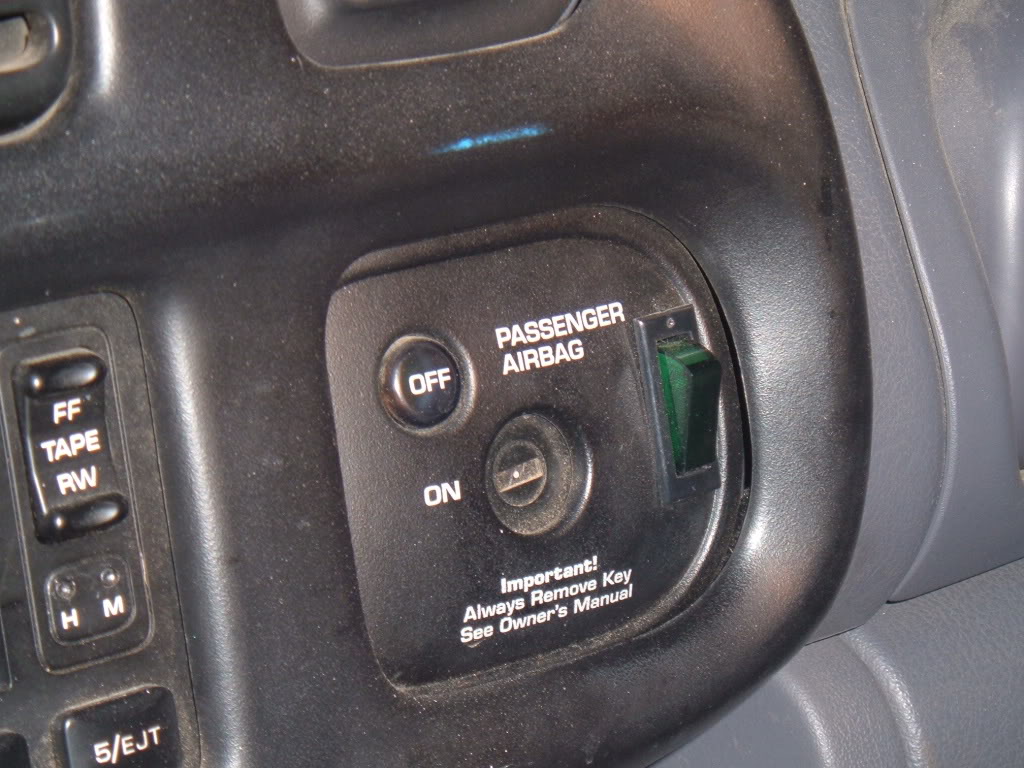 Thank You


Veteran
Joined: Feb 2007
Posts: 420
Likes: 0
From: Mentor, Ohio
lol log onto ur photobucket page, view ur albums, put ur mouse pointer over the picture and a list will show up that says "direct Link" click on that and come back to this page and in the "quick reply" area hit CTRL + V at the same time and itl put the link in.

Champion
Joined: Mar 2008
Posts: 3,363
Likes: 1
From: ohio
oh s.hit........... boy, one more bill this month... sorry to hear

Record Breaker
Joined: Jun 2008
Posts: 1,669
Likes: 4
From: The Buckeye State... OHIO
yes it was dark and was snowing like a freakin blizzard on friday night.... bad news the impound lot is not open during the weekend!!!! So I was stuck in cleveland all weekend! I'll post what happens tomorrow evening and I hope I can get those fog light pictures posted too... I mounted mine by the light switch **** one for my front fog lights and one for my rear back-up lights