
3rd Gen RAM general discussion/NON-tech This section is for general discussions about your 3rd gen RAM. Non tech related RAM threads belong here.

Sig Pic Issues

Thread Tools
 
Search this Thread
 
Old Aug 13, 2010 | 07:00 PM
  #1  
JAWalker21's Avatar
JAWalker21
Thread Starter
|
Professional
Joined: Dec 2006
Posts: 128
Likes: 0
From: Tennessee
Default Sig Pic Issues

I've tried everything I know how to make this work. The picture meets the requirements, I've tried photobucket but i keep getting an Invalid file prompt. Please anyone help!!!!
 
Reply
Old Aug 14, 2010 | 05:53 PM
  #2  
badblackram06's Avatar
badblackram06
Veteran
Joined: Jan 2009
Posts: 480
Likes: 0
From: Southwest, MS
Default

What i usually do is resize my sig to 500x250 or smaller then upload it to photobucket. copy the img code then paste it to the sig spot. It always takes for me. Try a different browser maybe. I use google chrome and never have problems.
 
Reply
Old Aug 14, 2010 | 09:24 PM
  #3  
JAWalker21's Avatar
JAWalker21
Thread Starter
|
Professional
Joined: Dec 2006
Posts: 128
Likes: 0
From: Tennessee
Default

I've tried that. I copy the img code and paste it but it still won't show. Anything else? Its smaller than 500x250 and the 48.8Kb size limit. Anything thing else i can do?
 
Reply
Old Aug 14, 2010 | 09:56 PM
  #4  
badblackram06's Avatar
badblackram06
Veteran
Joined: Jan 2009
Posts: 480
Likes: 0
From: Southwest, MS
Default

Hmmm... are you pasting the img code within the Edit Signature box where it says Your Signature:? You should be able to paste the img code there and then click save signature.
I dont know why its not working for you.

try posting the img code in this thread.
if that works it should work in the Edit signature box.
 
Reply
Old Aug 14, 2010 | 10:30 PM
  #5  
JAWalker21's Avatar
JAWalker21
Thread Starter
|
Professional
Joined: Dec 2006
Posts: 128
Likes: 0
From: Tennessee
Default

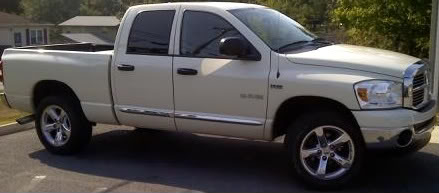
Hope this works


Name:  mytruck2-1.jpg
Views: 70
Size:  19.0 KB

[edit] Guess it did, but when I paste it in the space where you upload the photo to the signature it won't work.
 
Reply
Old Aug 14, 2010 | 10:34 PM
  #6  
JAWalker21's Avatar
JAWalker21
Thread Starter
|
Professional
Joined: Dec 2006
Posts: 128
Likes: 0
From: Tennessee
Default

Got it to work. Thanks for the help!
 
Reply
Old Aug 15, 2010 | 10:57 AM
  #7  
badblackram06's Avatar
badblackram06
Veteran
Joined: Jan 2009
Posts: 480
Likes: 0
From: Southwest, MS
Default

Good to see you got it to work. Nice truck!
 
Reply


All times are GMT -4. The time now is 11:41 AM.