



Aftermarket Backup Camera.


Rookie
Joined: Jan 2010
Posts: 70
Likes: 0
From: NJ

I just got this. For about $150 I couldn't resist. Nice big screen and easy to use. I've always had Garmins and wanted to stay with them but the price is right on this.
http://shop.ebay.com/i.html?rt=nc&LH...=p3911.c0.m301
http://shop.ebay.com/i.html?rt=nc&LH...=p3911.c0.m301
Last edited by SmittySLT; Sep 2, 2010 at 06:22 PM. Reason: update link

Champion
Joined: Dec 2007
Posts: 3,563
Likes: 0
From: Ontario, Canada
I just got this. For about $150 I couldn't resist. Nice big screen and easy to use. I've always had Garmins and wanted to stay with them but the price is right on this.
http://cgi.ebay.com/5-GPS-Bluetooth-...%3D5%26ps%3D63
http://cgi.ebay.com/5-GPS-Bluetooth-...%3D5%26ps%3D63
Rookie
Joined: Jan 2010
Posts: 70
Likes: 0
From: NJ
pics
Heres a pic of the camera and the GPS. I had to make a simple mount for the camera to bolt it to the license plate. Wired it to the trailer harness backup wire (white wire with a red tracer)
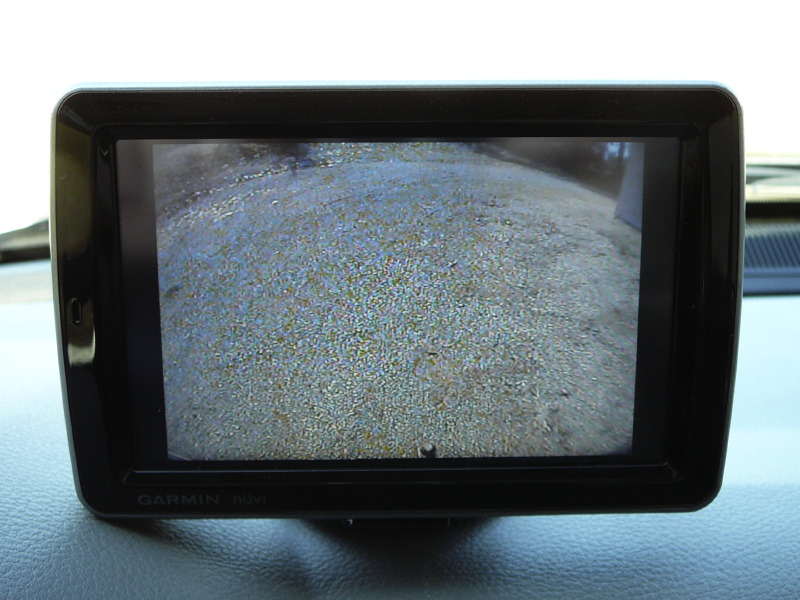
The suction cup mount seems to be working well so far holding the GPS. The camera comes on as soon as you slip into reverse. Very clear kind of a fish eye view.
The suction cup mount seems to be working well so far holding the GPS. The camera comes on as soon as you slip into reverse. Very clear kind of a fish eye view.

Thread Starter
|
Professional
Joined: Feb 2010
Posts: 139
Likes: 0
From: Quebec, Canada
Trending Topics


Rookie
Joined: Nov 2009
Posts: 83
Likes: 0
From: East Tennessee
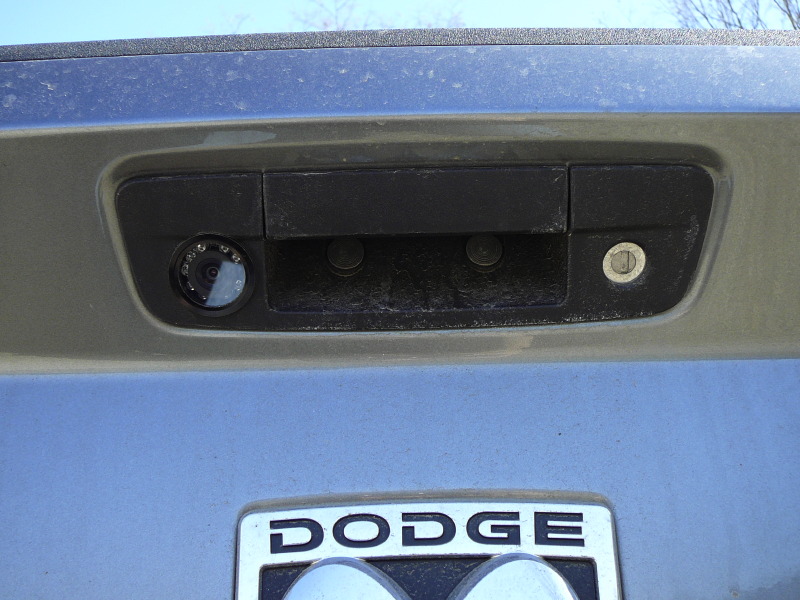
The camera is a standard CCD keyhole camera with Infrared capability for night use. They are available all day long on eBay for $65-$100. The GPS is a Garmin Nuvi 5000. It has a yellow RCA Video IN port. One of the features of the GPS is the ability to show the video IN picture instead of the navigation picture, and you choose how it decides which image to show. I have mine set to display the backup camera image whenever the image signal is present. In order to get power to the CCD camera, I tapped into the reverse light wire. When I shift in reverse the camera gets powered up, it sends a signal to the video IN port of the GPS, and the GPS switches over automatically to that image.
I also drilled a hole in the dash of my 2 day old truck, directly behind where I have the GPS mounted on the dash, so that I could run wires for power, video in, and the external antenna and not have any wires show from the drivers viewpoint.
I've linked to a couple of pictures of the camera installed into the tailgate handle, and of the image seen from the camera. The image I see is much clearer than what it appears in the picture. There was a lot of glare taking a picture of a picture.

Amateur
Joined: Jul 2010
Posts: 44
Likes: 0
From: SE - Michigan
I'm looking to go with a set up like the two pictured. The Nuvi 5000 must be an older model, it is not listed on Garmin's current product site. I can find them still all over the net. Found a refurb for $129 with factory warranty. Not many other choices with an AV in?? Also found the other model pictured but read many complaints about not being to upgrad the nav program on not a "name brand". How's the Nuvi 5000 or the other model work'n for ya?