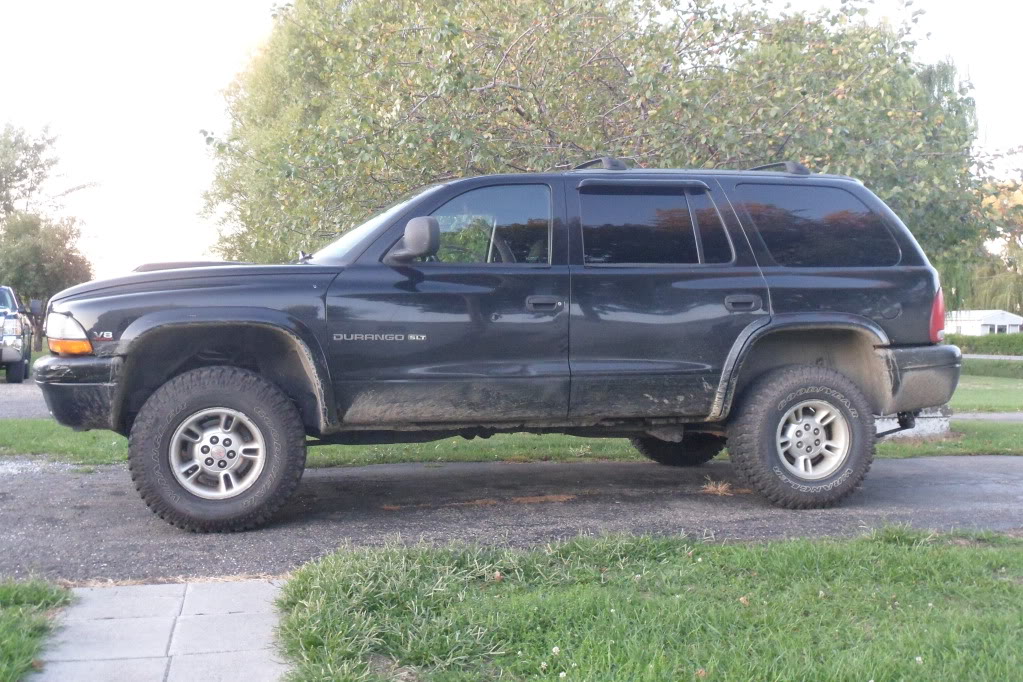
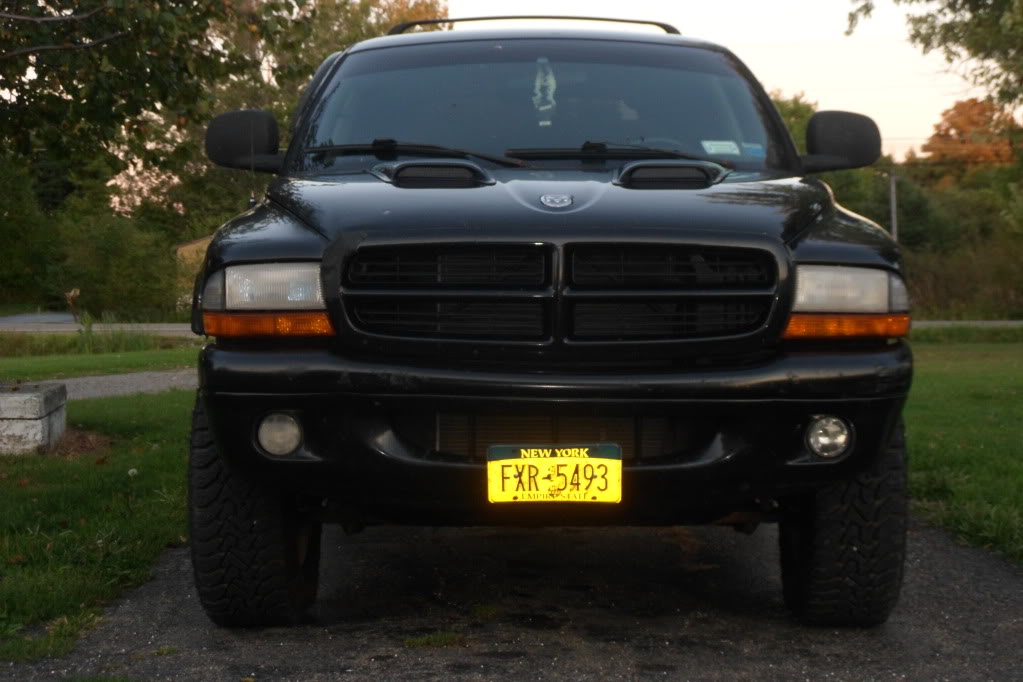
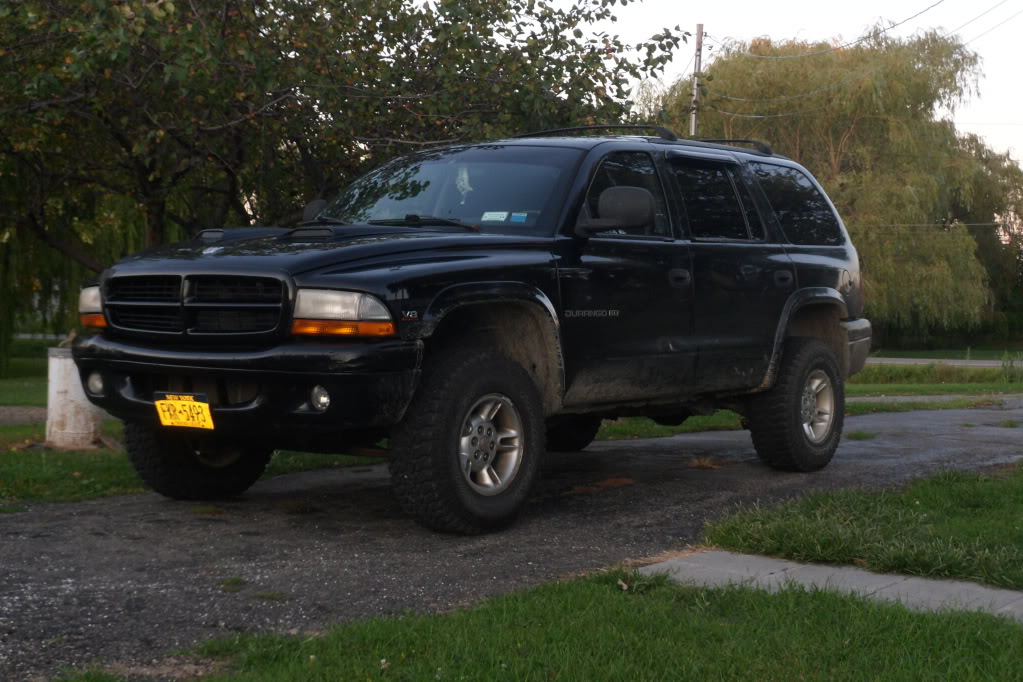
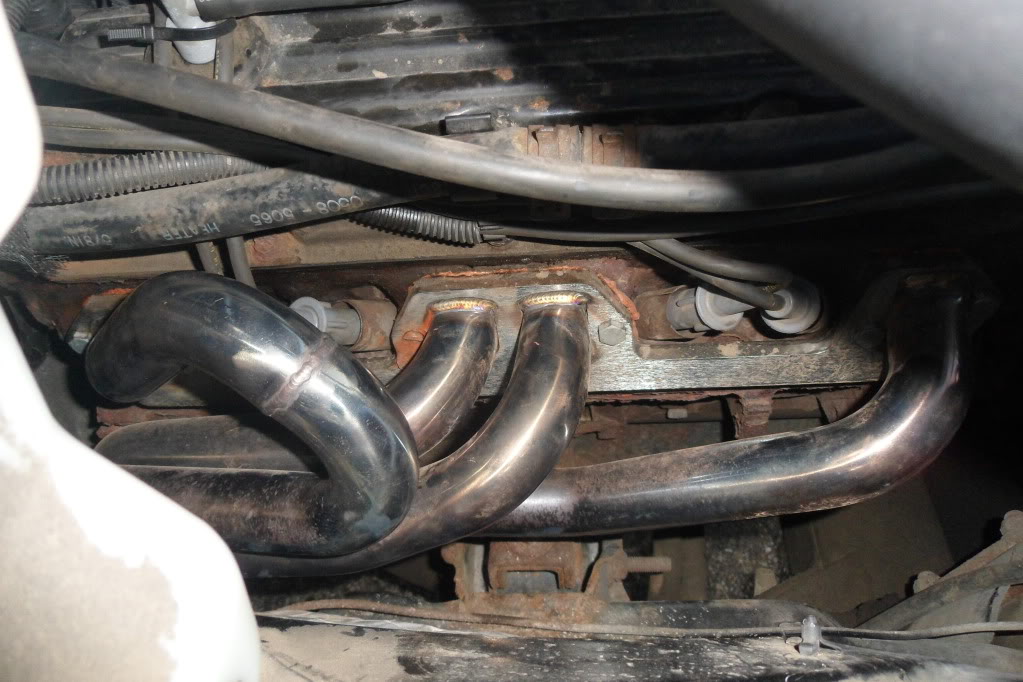
some photos of the oll brawd a little dirty


Thread Starter
|
Veteran
Joined: Apr 2012
Posts: 289
Likes: 0
From: Silvercreek NY
 some photos of the oll brawd a little dirty
can someone help me with attaching thee photos to a thread. i tried and tried but it wouldnt let me upload any pictures.
Last edited by krupaeric; Sep 10, 2012 at 08:06 PM. Reason: potos didnt transfer.


Champion


Joined: Jan 2011
Posts: 4,099
Likes: 44
From: Pittsburgh, PA or Columbia, SC
upload them to imageshack.us or something like that, then copy the url to the image and paste in in the box that comes up when you click the insert image button (looks like a mountain) at the top of the post box.

Captain
Joined: Jan 2011
Posts: 725
Likes: 2
From: Central Missouri
Don't bother with the insert image button above. It over complicates things.
Copy the direct link to the image as you're doing. Paste it in the post.
Then, add a [IMG] in front of the link, and an [/IMG] after the link. No spaces or anything...just directly in front of and after the link text.
You can 'preview' posts too before you post them to see if they're going to work.
Thread Starter
|
Veteran
Joined: Apr 2012
Posts: 289
Likes: 0
From: Silvercreek NY
ok not to over complicate things but im not very computer savy. and didnt really understand what you just meant by that last message. i have the images saved to the computer to my documents and to photobucket. how do i post photos here from photobucket? if that makes it easier. and s this is the1st time im posting photos to anything computer related. i dont have facebook or anything like that, so ive never done it befor.
Captain
Joined: Jan 2011
Posts: 725
Likes: 2
From: Central Missouri
ok not to over complicate things but im not very computer savy. and didnt really understand what you just meant by that last message. i have the images saved to the computer to my documents and to photobucket. how do i post photos here from photobucket? if that makes it easier. and s this is the1st time im posting photos to anything computer related. i dont have facebook or anything like that, so ive never done it befor.
Take a look at the image below. It's a screen shot I took of my Photobucket page and when you log in to your page you should see something similar. If you roll your mouse over the individual thumbnails the one under your mouse pointer gets bigger and you see a drop down menu with several links listed below.
The important ones are 'Direct Link' and 'Image Code'. The direct link is something you can post anywhere and it becomes clickable and takes the person directly to the image however it won't show up as an image in your post. You can either add the [IMG] tags, or...
...you can click on the option that says 'Image Code' with your mouse. You'll see it tell you that it's 'copied' and you simply paste that in your post. It will already have the [IMG] tags and when you preview or post you'll see the image in the post in the thread.

Thread Starter
|
Veteran
Joined: Apr 2012
Posts: 289
Likes: 0
From: Silvercreek NY
Ok cool ill have to try it again tomorrow. i was able to copy and paste the photos on another thread but they show up quite small on the page you cant really see it to good.
But just so were clear if i click on the direct link it automaticly copies it and i paste it to the message with IMG in front and at the end of it. and when i preview it it should show up as the photo?
right? or am i just stupid and not really understanding how its done.
I watch my wife post pictures to her face book. but its super easy. you just browse you pictures click on the ones you want on it and clike ok. and it appears on her page. but obviously its not that easy for this forum. lol.
But just so were clear if i click on the direct link it automaticly copies it and i paste it to the message with IMG in front and at the end of it. and when i preview it it should show up as the photo?
right? or am i just stupid and not really understanding how its done.
I watch my wife post pictures to her face book. but its super easy. you just browse you pictures click on the ones you want on it and clike ok. and it appears on her page. but obviously its not that easy for this forum. lol.
Last edited by krupaeric; Sep 11, 2012 at 11:23 PM.
Trending Topics
Captain
Joined: Jan 2011
Posts: 725
Likes: 2
From: Central Missouri
Ok cool ill have to try it again tomorrow. i was able to copy and paste the photos on another thread but they show up quite small on the page you cant really see it to good.
But just so were clear if i click on the direct link it automaticly copies it and i paste it to the message with IMG in front and at the end of it. and when i preview it it should show up as the photo?
right? or am i just stupid and not really understanding how its done.
I watch my wife post pictures to her face book. but its super easy. you just browse you pictures click on the ones you want on it and clike ok. and it appears on her page. but obviously its not that easy for this forum. lol.
But just so were clear if i click on the direct link it automaticly copies it and i paste it to the message with IMG in front and at the end of it. and when i preview it it should show up as the photo?
right? or am i just stupid and not really understanding how its done.
I watch my wife post pictures to her face book. but its super easy. you just browse you pictures click on the ones you want on it and clike ok. and it appears on her page. but obviously its not that easy for this forum. lol.
Remember, if you click the one that says 'Image Code' it automatically has the [IMG] tags attached to it so you don't have to do anything but paste it in a post.