



My 97 RAM Project


Thread Starter
|
Professional
Joined: Sep 2015
Posts: 106
Likes: 0
From: Texas
 BAMFX OBDII Bluetooth Adapter
Got a new toy today, I can't wait to test this thing out. Hopefully I can start taking care of all my own codes instead of having to drive down the local AP store to retrieve them.
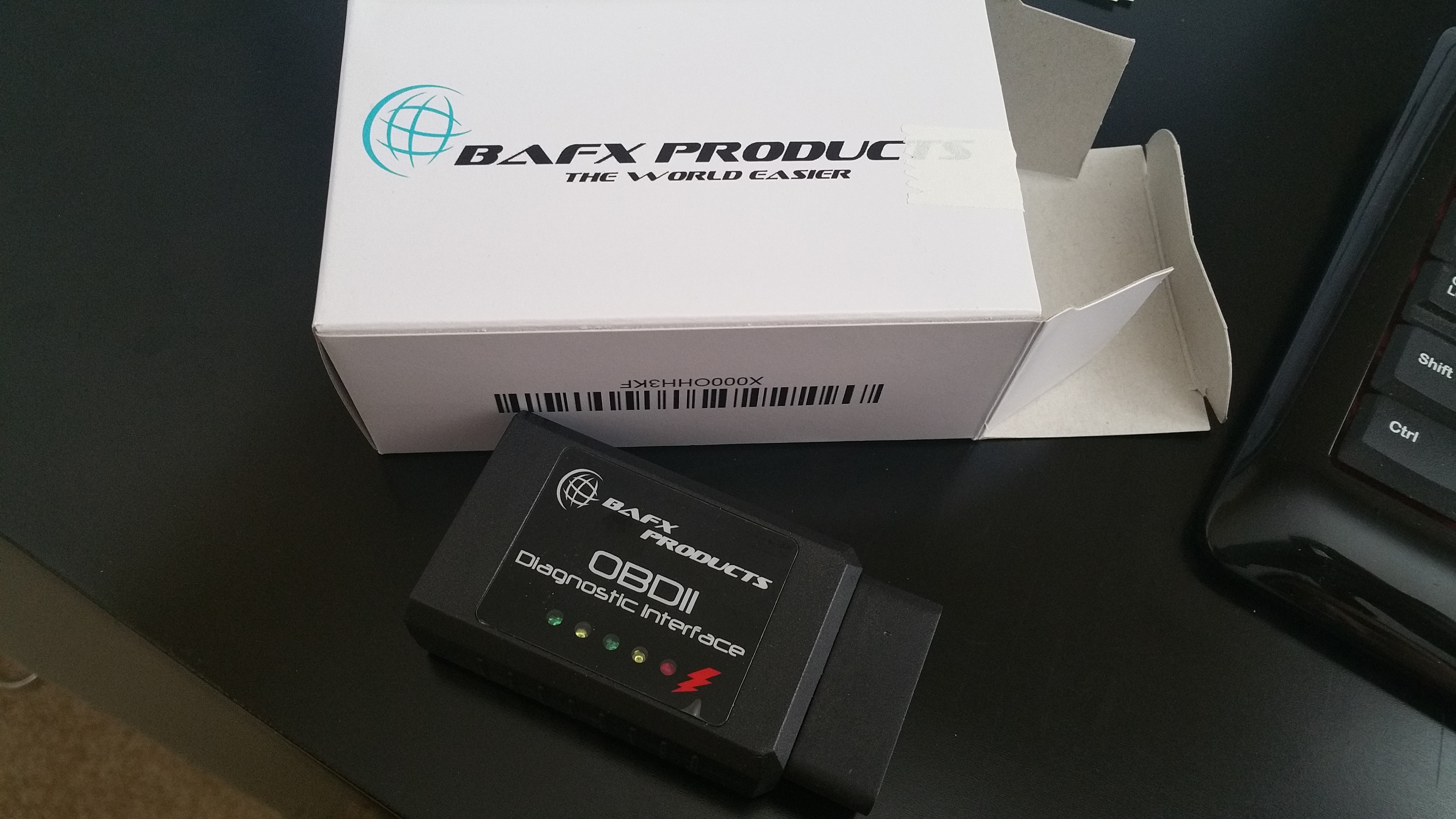

Last edited by ram-tuff; Feb 6, 2017 at 04:01 PM.

Thread Starter
|
Professional
Joined: Sep 2015
Posts: 106
Likes: 0
From: Texas
Yeah I just bought torque pro tonight. Works pretty good from what I can tell. Wish we had a better oil pressure Guage in the 97 so we had a torque pid for it. Wish we had a lot more actually like Maf and wide band o2's for air/fuel ratio and etc. It also doesn't read the air bag light either in codes as I assume that's a separate system in the 97.
Thread Starter
|
Professional
Joined: Sep 2015
Posts: 106
Likes: 0
From: Texas
Torque Pro App
There is quite a bit of cool data you can monitor. I basically have 2 screens right now that I made and switch back and forth checking them out as I drive. Best to have a phone mount on your dash somewhere. I can almost use the torque tool as my dash readouts, only thing it doesn't have is the oil pressure gauge.
The scan tool didn't come back with any codes so no screenshots there but it works pretty well from what I can tell. Had an issue with truck shutting off(i think you saw my other thread on that) and it pulled the running code P0351 right away for me.
It also has some fun stuff like the 0-60 and etc so you can time yourself. You can also download more add-ons for the torque app like the knock detector and etc. I ran the knock detector and its not detected any so far so its either useless, or my truck is good on regular 87 octane fuel

Main screen:


One of my favorites is the timing advance sensor, its kinda cool to see how the pcm advances that while driving.


Last edited by ram-tuff; Feb 6, 2017 at 04:01 PM.

Administrator


Joined: Apr 2010
Posts: 87,406
Likes: 4,214
From: Clayton MI
Ok took some screenshots the other day for ya. I am sitting in my driveway at idle so you can see some actual data. I also drove around so you can see the temps are warmed up on the intake manifold sensor and the coolant sensor.
There is quite a bit of cool data you can monitor. I basically have 2 screens right now that I made and switch back and forth checking them out as I drive. Best to have a phone mount on your dash somewhere. I can almost use the torque tool as my dash readouts, only thing it doesn't have is the oil pressure gauge.
The scan tool didn't come back with any codes so no screenshots there but it works pretty well from what I can tell. Had an issue with truck shutting off(i think you saw my other thread on that) and it pulled the running code P0351 right away for me.
It also has some fun stuff like the 0-60 and etc so you can time yourself. You can also download more add-ons for the torque app like the knock detector and etc. I ran the knock detector and its not detected any so far so its either useless, or my truck is good on regular 87 octane fuel
Main screen:


One of my favorites is the timing advance sensor, its kinda cool to see how the pcm advances that while driving.


There is quite a bit of cool data you can monitor. I basically have 2 screens right now that I made and switch back and forth checking them out as I drive. Best to have a phone mount on your dash somewhere. I can almost use the torque tool as my dash readouts, only thing it doesn't have is the oil pressure gauge.
The scan tool didn't come back with any codes so no screenshots there but it works pretty well from what I can tell. Had an issue with truck shutting off(i think you saw my other thread on that) and it pulled the running code P0351 right away for me.
It also has some fun stuff like the 0-60 and etc so you can time yourself. You can also download more add-ons for the torque app like the knock detector and etc. I ran the knock detector and its not detected any so far so its either useless, or my truck is good on regular 87 octane fuel
Main screen:
One of my favorites is the timing advance sensor, its kinda cool to see how the pcm advances that while driving.
Thread Starter
|
Professional
Joined: Sep 2015
Posts: 106
Likes: 0
From: Texas
The BAFX OBDII adapter came with a little CD with a Windows app to use for a laptop yes. But torque is phone/tablet only. I have not tried the Windows app yet with laptop.
Do you already have an adapter plugged in to your OBDII? Torque should work with that bluetooth adapter without having to buy another one.
 I don't want one.
Thread Starter
|
Professional
Joined: Sep 2015
Posts: 106
Likes: 0
From: Texas
ah, i see, off the grid eh? lol. i guess you could either A: use a laptop with the software they provide, or B: buy a cheap ol $50 android tablet just for this kind of thing. tablets don't ring and they don't get registered they just connect to your WiFi like a laptop. Then you can download the free torque app.
Reason I mention those options is because the windows app will most likely not have all the updated options the torque app has. it will probably suck. the torque app has many users and the user base is what makes updates happen. so there is a add-on to the torque app that is specific to chrysler vehicles, and this particular add-on gets you transmission temp sensors. I will assume there will be more to come as it continues to get updated too.
If I ever pull out the laptop, and test the windows app, i will let you know how the experience goes compared to the torque app.
they just connect to your WiFi like a laptop. Then you can download the free torque app.Reason I mention those options is because the windows app will most likely not have all the updated options the torque app has. it will probably suck. the torque app has many users and the user base is what makes updates happen. so there is a add-on to the torque app that is specific to chrysler vehicles, and this particular add-on gets you transmission temp sensors. I will assume there will be more to come as it continues to get updated too.
If I ever pull out the laptop, and test the windows app, i will let you know how the experience goes compared to the torque app.

Record Breaker
Joined: Mar 2013
Posts: 1,130
Likes: 15
From: Somewhere in Kentucky
Wish I could get away without a Cell Phone, too many people want to contact me...

