


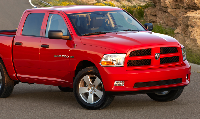
Need help with intermittent AC in 2010 Ram,


Thread Starter
|
Rookie

Joined: Jun 2021
Posts: 76
Likes: 2

" The electric fan works when the clutch is running, but it shuts off when the clutch stops . . "
Not a mech or AC expert by any means, but is this statement backwards? I.e., might the compressor clutch running depend on whether the condenser fan is operating properly? Here's why I ask:
I had a somewhat similar issue with my '07 5.7L. The A/C would work fine when the vehicle was in motion, and RPMs were above idle; but when at idle (e.g., at a stoplight), the compressor would cycle on and off, with warm air blowing when off, of course. Refrigerant charge was OK, and I replaced the pressure sensor & compressor clutch/coil without success.
Turns out, the condenser fan was inop. I was getting ready to replace it, but for grins, I rapped the back of the condenser fan motor with a hammer, and it started working. As soon as the fan came on, the AC clutch engaged (which is why I made the statement in the 1st line), and everything was fine.
Yours might be a completely different issue, but I thought I'd throw this out.
Good luck.
Not a mech or AC expert by any means, but is this statement backwards? I.e., might the compressor clutch running depend on whether the condenser fan is operating properly? Here's why I ask:
I had a somewhat similar issue with my '07 5.7L. The A/C would work fine when the vehicle was in motion, and RPMs were above idle; but when at idle (e.g., at a stoplight), the compressor would cycle on and off, with warm air blowing when off, of course. Refrigerant charge was OK, and I replaced the pressure sensor & compressor clutch/coil without success.
Turns out, the condenser fan was inop. I was getting ready to replace it, but for grins, I rapped the back of the condenser fan motor with a hammer, and it started working. As soon as the fan came on, the AC clutch engaged (which is why I made the statement in the 1st line), and everything was fine.
Yours might be a completely different issue, but I thought I'd throw this out.
Good luck.