


Aux in for factory RBQ


Thread Starter
|
Professional
Joined: Jan 2008
Posts: 116
Likes: 0
From: Kansas City, MO

I bought from these guys.
http://myworld.ebay.com/esautofx
It was listed Buy It Now for $50 and I bid and won for $15 as the only bidder. Not often I bid on something no one else wants.
http://myworld.ebay.com/esautofx
It was listed Buy It Now for $50 and I bid and won for $15 as the only bidder. Not often I bid on something no one else wants.

Registered User
Joined: Mar 2010
Posts: 1
Likes: 0
So I found the 6 CD's wasn't enough and wanted to hook my Zune up, but without buying an aftermarket stereo. I didn't want to pay over $100 for the Mopar ipod hookup, so I found this Terk XMDCHY100 which is supposed to be for adding XM to your factory radio, but also has audio in for external XM devices. I found it on eBay for $15, score! It plugs into the sat. radio connector on the radio, and adds "XM" to the source list. When on XM, anything coming through the audio in plays. To take it another step, I hit up radio shack and wired my RCA's to a headphone jack, and drilled into the dash, adding an Aux in like you see on newer models!
Here's the module.

Fit's right behind the glove box next to the amp.

Audio in, as well as the XM in cable.

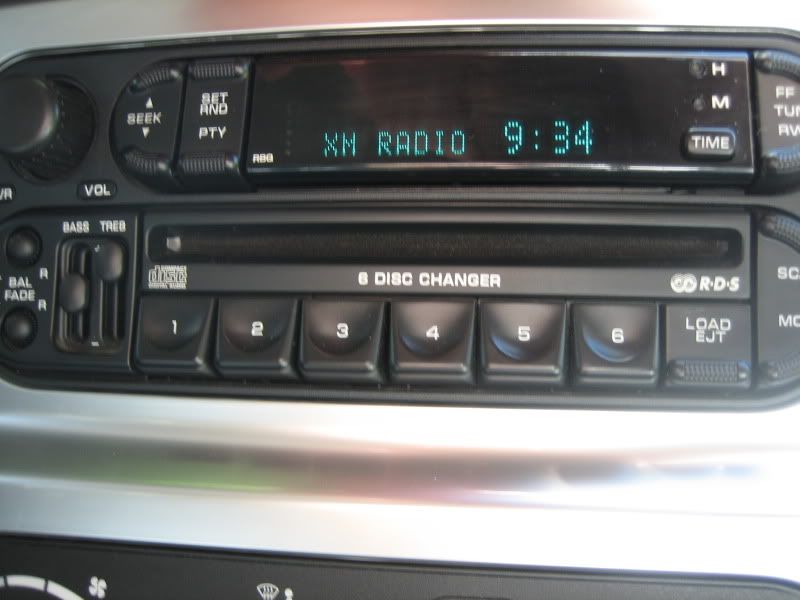
Radio shows "XM" and loading when I'm playing music.
Audio in on the dash blank. Could go anywhere, I had this place with nothing so I put it here. I thought about the blank next to my E cutout switch and heated seats, but this was easier, and removable.

Nice clean setup that I can put away. The alternative is to run RCA's to headphone out of the glove box, which is what I did for awhile, but it wasn't as clean, and limited my reach to as long of an RCA cable as I had. This allows me to add a really long headphone cable, for either the backseat passengers, or even out in the bed.

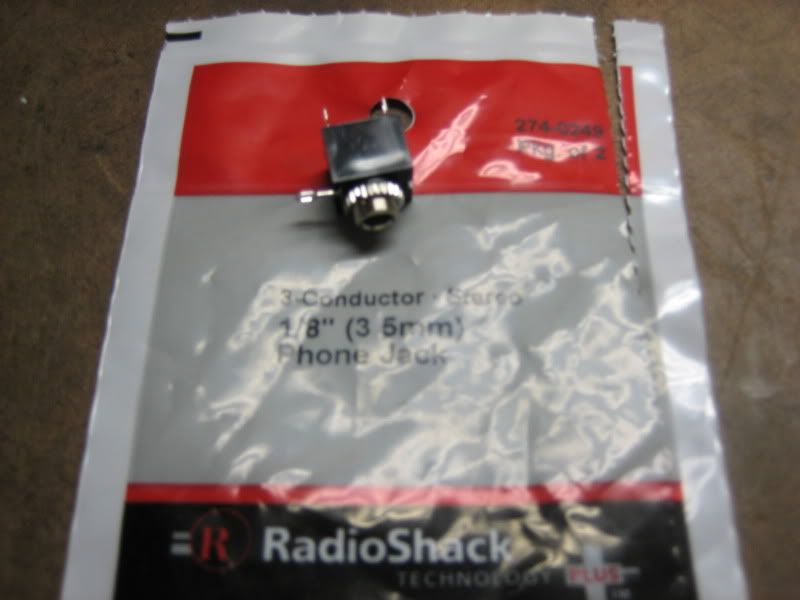
Here's the headphone jack from radio shack....2.99 for 2. The Terk came with an RCA you can hack up and solder on to this.
Here's the module.
Fit's right behind the glove box next to the amp.
Audio in, as well as the XM in cable.
Radio shows "XM" and loading when I'm playing music.
Audio in on the dash blank. Could go anywhere, I had this place with nothing so I put it here. I thought about the blank next to my E cutout switch and heated seats, but this was easier, and removable.
Nice clean setup that I can put away. The alternative is to run RCA's to headphone out of the glove box, which is what I did for awhile, but it wasn't as clean, and limited my reach to as long of an RCA cable as I had. This allows me to add a really long headphone cable, for either the backseat passengers, or even out in the bed.
Here's the headphone jack from radio shack....2.99 for 2. The Terk came with an RCA you can hack up and solder on to this.


Registered User
Joined: Apr 2011
Posts: 3
Likes: 0
So I found the 6 CD's wasn't enough and wanted to hook my Zune up, but without buying an aftermarket stereo. I didn't want to pay over $100 for the Mopar ipod hookup, so I found this Terk XMDCHY100 which is supposed to be for adding XM to your factory radio, but also has audio in for external XM devices. I found it on eBay for $15, score! It plugs into the sat. radio connector on the radio, and adds "XM" to the source list. When on XM, anything coming through the audio in plays. To take it another step, I hit up radio shack and wired my RCA's to a headphone jack,
Here's the headphone jack from radio shack....2.99 for 2. The Terk came with an RCA you can hack up and solder on to this.
Here's the headphone jack from radio shack....2.99 for 2. The Terk came with an RCA you can hack up and solder on to this.
Registered User
Joined: Apr 2011
Posts: 3
Likes: 0
Thread Starter
|
Professional
Joined: Jan 2008
Posts: 116
Likes: 0
From: Kansas City, MO
On the back of the package for the headphone jack, it lists the pin assignments.
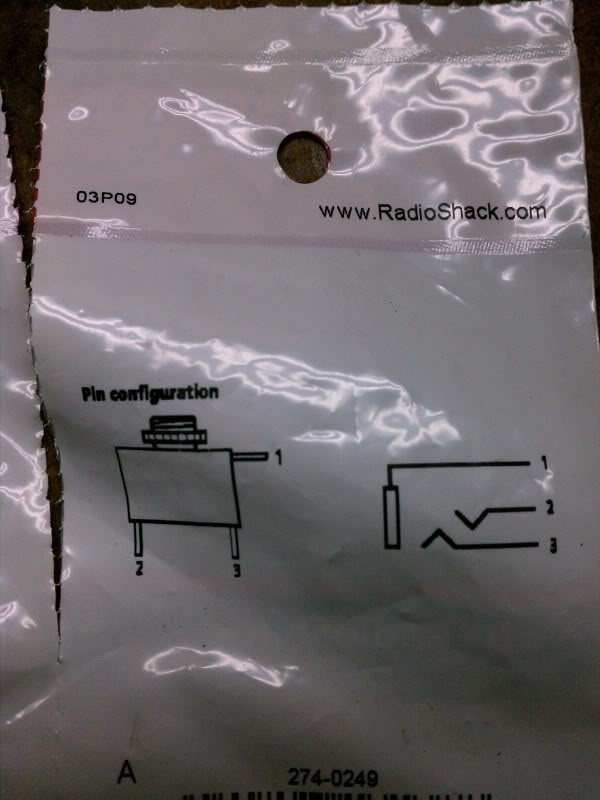
I mapped those to something I found by searching the internet. As long as whatever you solder to "right" you plug into the right audio port, you should be fine. In this case, right is 3, left is 2, and twist the grounds together on 1 (picture the headphone plug going into the socket, and where each of those would land).

I mapped those to something I found by searching the internet. As long as whatever you solder to "right" you plug into the right audio port, you should be fine. In this case, right is 3, left is 2, and twist the grounds together on 1 (picture the headphone plug going into the socket, and where each of those would land).