Photos
Mar 22, 2005 | 08:31 PM
Thread Starter
|
Professional
Joined: Feb 2005
Posts: 104
Likes: 0
From:
Photos
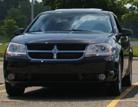
I wanna make an album, but all of my pics are like WAY over the size limit. What can I do to downsize them a bit?(I just made one of this Hummer H2 with a Dodge grille, lol)
Mar 22, 2005 | 09:41 PM
Joined: Nov 2004
Posts: 185
Likes: 0
From: Southern Cali
RE: Photos
Resize them on some form of photo editing software. Photoshop, Corel, ACDSee, etc.
Resolution should be around 72 and dimensions 6X9 is decent.
Mar 22, 2005 | 09:52 PM
Joined: Nov 2004
Posts: 334
Likes: 0
From:
RE: Photos
Rick click on the file and select EDIT.
Select IMAGE, (fourth from top left) and go down to STRETCH/SKEW.
Then just select the % you want to reduce it to.
Mar 22, 2005 | 10:07 PM
Thread Starter
|
Professional
Joined: Feb 2005
Posts: 104
Likes: 0
From:
RE: Photos
THX lots, guys!
Mar 22, 2005 | 10:16 PM
Thread Starter
|
Professional
Joined: Feb 2005
Posts: 104
Likes: 0
From:
RE: Photos
On second note, many of them are bmp. DF only allows JPG, JPEG, and GIF. This is overcome....how?
Mar 22, 2005 | 10:18 PM
Joined: Nov 2004
Posts: 334
Likes: 0
From:
BITMAP-JPEG conversion
Right click, open with PAINT.
Click FILE, go down to SAVE AS and change the file type to JPEG.
Mar 22, 2005 | 10:20 PM
Thread Starter
|
Professional
Joined: Feb 2005
Posts: 104
Likes: 0
From:
RE: BITMAP-JPEG conversion
My god, it's so EASY!!!! Why didn't anyone tell me this before!?!?!?!
Mar 22, 2005 | 10:27 PM
Joined: Jul 2004
Posts: 10,955
Likes: 0
From: The Ghetto of Northville
RE: BITMAP-JPEG conversion
Quote:
ORIGINAL: TorqueDemon
My god, it's so EASY!!!! Why didn't anyone tell me this before!?!?!?!
hahah i would of, but i was wondering myself how many other people know
Mar 22, 2005 | 10:27 PM
Joined: Nov 2004
Posts: 334
Likes: 0
From:
Mar 22, 2005 | 10:38 PM
Thread Starter
|
Professional
Joined: Feb 2005
Posts: 104
Likes: 0
From:
RE: BITMAP-JPEG conversion
Sweet.