



air horn install (pics)


Veteran
Joined: Aug 2007
Posts: 420
Likes: 1

I managed to crawl under my truck this morning and snap a few pictures.
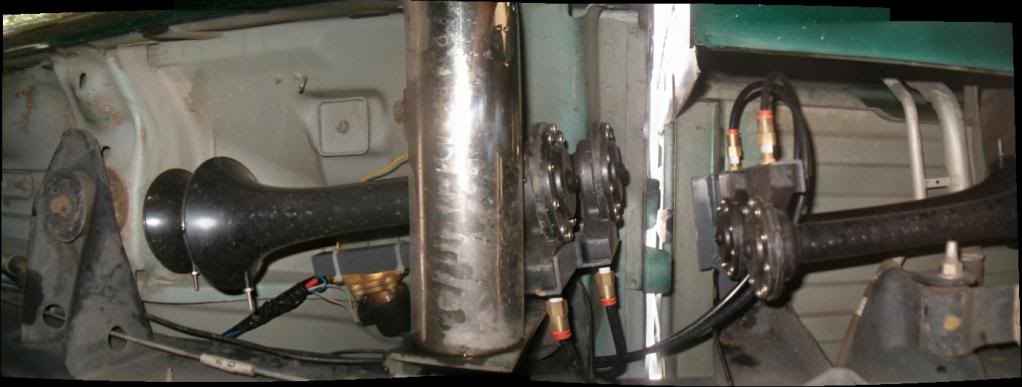
Horns, mounted on the outside of the driver side frame rail:
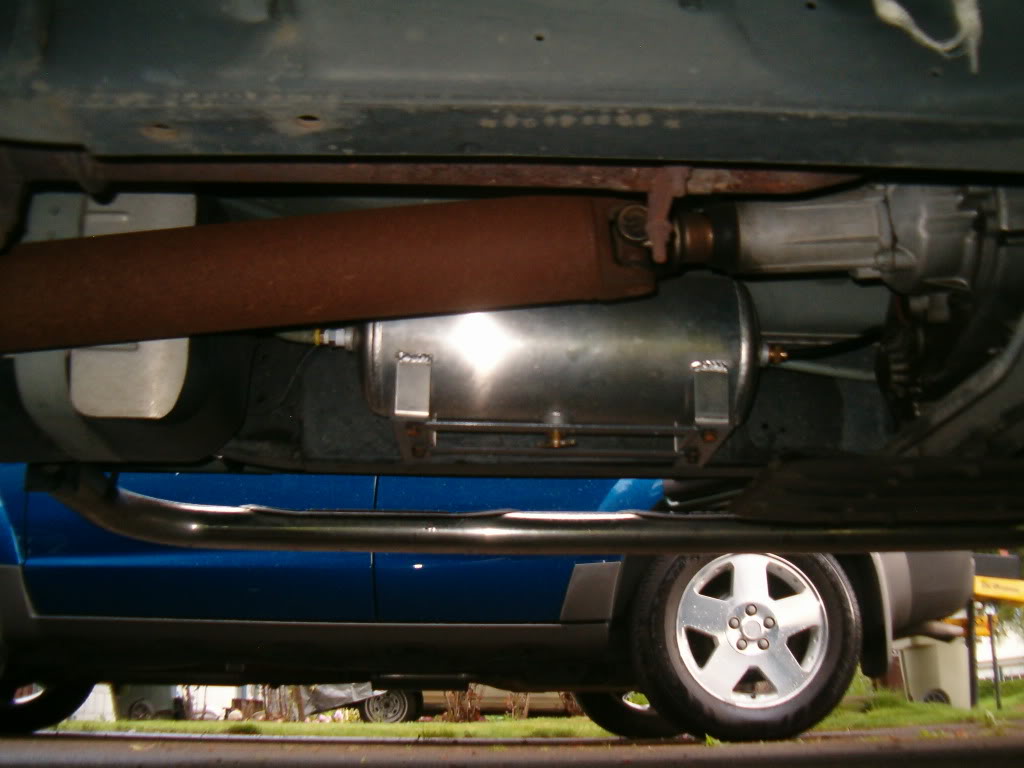
And here is a shot of the air tank. It is mounted on the inside of the driver side frame rail:
The top picture is actually a stitch of about 4 pictures, so it has a weird fish-eye type look, but it is the only way I could fit it all into the picture at the same time.
I used a free program called "autostitch" (http://cvlab.epfl.ch/~brown/autostitch/autostitch.html) that morphed them all together automatically. It works really well. The trick is to take the pictures from the same "location". Try to stay in the same spot, and only rotate the camera to get the panoramic view. It helps if you can get about 30% overlap in the pictures too. Anyway - a cool little app I found that I thought I would pass along.
Cartman
Horns, mounted on the outside of the driver side frame rail:
And here is a shot of the air tank. It is mounted on the inside of the driver side frame rail:
The top picture is actually a stitch of about 4 pictures, so it has a weird fish-eye type look, but it is the only way I could fit it all into the picture at the same time.
I used a free program called "autostitch" (http://cvlab.epfl.ch/~brown/autostitch/autostitch.html) that morphed them all together automatically. It works really well. The trick is to take the pictures from the same "location". Try to stay in the same spot, and only rotate the camera to get the panoramic view. It helps if you can get about 30% overlap in the pictures too. Anyway - a cool little app I found that I thought I would pass along.
Cartman
