


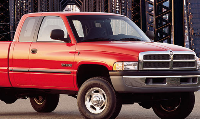
4x4 hubs won't lock


Thread Starter
|
Veteran
Joined: Jun 2009
Posts: 426
Likes: 1
 4x4 hubs won't lock
Ever since I replaced my transmission, I can shift the transfercase and the 4wd light comes on, but I'm not getting any power to the front wheels.
I thought I had hooked the vacum lines back up correctly. I even made a diagram when I was removing them. Any theories?
Please and thankyou!
I thought I had hooked the vacum lines back up correctly. I even made a diagram when I was removing them. Any theories?
Please and thankyou!

Administrator


Joined: Apr 2010
Posts: 87,563
Likes: 4,232
From: Clayton MI
If the light comes on, that means the vacuum lines are hooked up right. The light is turned on by a switch on the front axle, that is activated by the vacuum actuator on the CAD. If the transfer case isn't sending power to the front axle, you have T/C problems.
How are you determining that your four wheel drive isn't working?
How are you determining that your four wheel drive isn't working?
Administrator
Joined: Apr 2010
Posts: 87,563
Likes: 4,232
From: Clayton MI
Check the CAD, chances are, something in there is not working right. If the axle doesn't lock itself together, the stub will just spin freely in there......
To check the T-Case, put the truck in four wheel drive. Crawl under there, (engine off, truck in park) and see if you can turn the shaft, if you cant, T/C is working as it should, and your problem lies elsewhere.
To check the T-Case, put the truck in four wheel drive. Crawl under there, (engine off, truck in park) and see if you can turn the shaft, if you cant, T/C is working as it should, and your problem lies elsewhere.
Thread Starter
|
Veteran
Joined: Jun 2009
Posts: 426
Likes: 1
Alright. I just did as you said to check the T-case. It seems to be working alright as I suspected.
Now, about the CAD. Forgive my ignorance, but what does that stand for? I'm sure its not Computer Aided Design.
Now, about the CAD. Forgive my ignorance, but what does that stand for? I'm sure its not Computer Aided Design.
Administrator
Joined: Apr 2010
Posts: 87,563
Likes: 4,232
From: Clayton MI
 Depends on who you ask.
Central axle disconnect. On the front axle, passenger side, on the back side.... there is a nice little housing that will have two vacuum lines, an electrical connector, and a FAT vent hose coming off of it. It is held in by four bolts. Inside there, is the shift fork that moves the collar back and forth to tie the passenger side front axle together. (yep, its two pieces, wonderful idea.....) Chances are, that something in there is borked, and the collar simply isn't sliding over far enough to tie the axles parts together. Could be as simple as a e-clip, so the fork just floats on the actuator shaft, to having assorted broken parts..... Only way to find out, is to open it up, and have a look. You will lose a bit of fluid, (that smells HORRID) when you pull the housing off, so, have a drip pan handy. There is a cork gasket in there as well, try and save that feller. If not, having a new one handy may not be a bad plan.